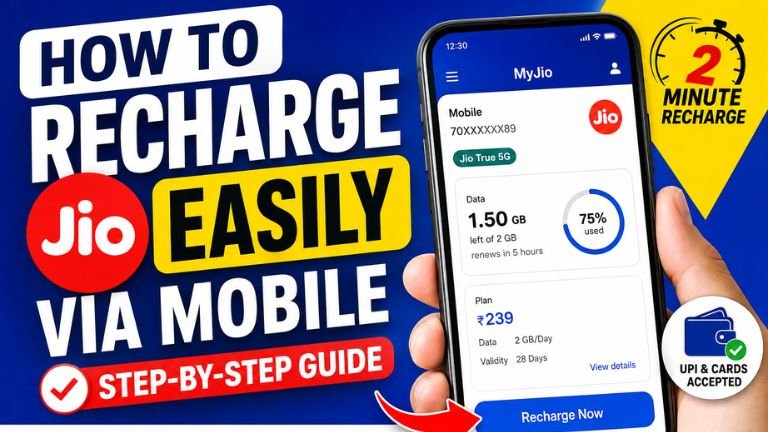
Recharging a Jio mobile number has become very simple. You no longer need to visit a mobile shop every time your prepaid plan expires. With a smartphone and an internet connection, you can recharge your Jio number within a few minutes using the MyJio app, Jio’s official website, or other digital payment applications.
The easiest and most convenient method is generally the MyJio app because it allows you to check your current plan, data balance, validity, available recharge plans, and payment options in one place. Jio also provides an official online recharge facility where you can enter your mobile number, select a plan, and complete the payment.
This guide explains how to recharge a Jio number from your mobile phone, how to choose the right plan, how to pay using UPI, what to do if the recharge fails, and how to check whether your recharge was successful.
What You Need Before Starting a Jio Recharge
Before starting the recharge process, keep a few things ready:
- Your Jio mobile number
- A smartphone
- Internet access
- MyJio app or a web browser
- A UPI ID, UPI app, debit card, credit card, or another supported payment method
- Sufficient money in your bank account or payment wallet
If you are using the MyJio app, you can log in using an OTP sent to your Jio mobile number. Jio says MyJio can be used to check your active plan, data balance, usage, validity, and recharge options.
Method 1: Recharge Jio Using the MyJio App
The MyJio app is one of the easiest ways to recharge your Jio prepaid number.
Step 1: Install the MyJio App
Open the Google Play Store on an Android phone or the App Store on an iPhone.
Search for MyJio and install the official application published by Jio Platforms Limited.
The MyJio app supports mobile recharge and payment services and also lets users manage multiple Jio connections.
Step 2: Open MyJio
After installing the application, open MyJio.
If you are using it for the first time, log in with your Jio mobile number. You may receive an OTP for verification.
Once you successfully log in, the home page will display information related to your Jio account.
Step 3: Select Recharge
Look for the Recharge option on the MyJio home screen.
Tap on it to see the available prepaid recharge plans.
Jio’s official instructions describe the basic process as opening MyJio, tapping Recharge, selecting a preferred plan, and completing payment.
Step 4: Choose a Recharge Plan
You will see different categories of plans.
Depending on your requirements, you may find options for:
- Daily data
- Unlimited calling
- SMS
- Entertainment
- Data add-ons
- Annual plans
- International roaming
- Other special plans
Jio’s current prepaid plans are organized into categories such as Popular Plans, True 5G Unlimited Plans, Entertainment Plans, Annual Plans, and Data Packs.
Do not select a plan only because it is cheap. First check the validity, daily data allowance, calling benefits, SMS benefits, and any additional benefits included with the plan.
Step 5: Check the Plan Details
Before making the payment, carefully read the plan details.
Check:
Validity: How long the plan will remain active.
Data: How much high-speed data you receive.
Calls: Whether unlimited voice calls are included.
SMS: Check the number of SMS included.
Additional benefits: Some plans may include entertainment or other digital benefits.
For example, Jio currently lists plans based on different daily data requirements, including 1.5GB/day, 2GB/day, and 2.5GB/day categories. Plan availability and benefits can change, so always check the current details shown in the official Jio app or website before paying.
Step 6: Tap Buy or Recharge
After choosing the plan, tap the button to proceed with the recharge.
Check the mobile number and amount one more time before payment.
This is important because accidentally recharging the wrong number can create unnecessary problems.
Step 7: Select a Payment Method
Choose your preferred payment method.
Depending on the options available to you, you may be able to use:
- UPI
- Debit card
- Credit card
- Net banking
- Supported wallets
- Other available digital payment methods
MyJio supports digital payment options, including UPI and other payment methods.
Step 8: Complete the Payment
If you select UPI, choose your preferred UPI method and authorize the transaction using your UPI PIN when required.
Never share your UPI PIN, OTP, debit card PIN, or banking password with another person.
After successful payment, you should receive a confirmation.
Jio’s official tutorial states that after successful payment, a recharge confirmation is displayed and the recharged plan can be viewed under the plan section.
How to Check Whether Your Jio Recharge Was Successful
After completing the payment, open the MyJio app.
Go to your account or plan section and check the active and upcoming plans.
Jio says MyJio allows users to view their active and upcoming plans and their validity.
You should also check your bank or UPI application to confirm that the payment was successfully completed.
If the amount has been deducted but the recharge does not immediately appear, do not repeatedly make another payment. First check your recharge status and transaction history.
Method 2: Recharge Jio Directly From the Official Website
You can also recharge your Jio mobile number without installing the MyJio app.
Open a browser such as Chrome on your mobile phone and visit the official Jio recharge page.
Jio’s official online recharge page asks you to enter your Jio number and then allows you to browse available prepaid plans and select a suitable option.
Step-by-Step Website Recharge
- Open your mobile browser.
- Go to the official Jio website.
- Open the mobile recharge section.
- Enter your Jio mobile number.
- Tap Continue.
- Browse the available recharge plans.
- Select the plan you want.
- Check the plan details.
- Proceed to payment.
- Select your payment method.
- Complete the payment.
- Wait for the confirmation.
- Check your Jio account to confirm the new plan.
The official Jio website provides prepaid plans and different recharge categories, including annual, entertainment, data, and international roaming options.
Can You Recharge Another Jio Number?
Yes. You can recharge another Jio number from your mobile.
This can be useful if you want to recharge a family member’s or friend’s Jio number.
The MyJio app includes an option to recharge another number, and Jio’s official tutorial describes using the recharge-for-a-friend option to enter another mobile number, select a plan, and complete the payment.
However, always double-check the number before making the payment.
How to Recharge Jio Using UPI
UPI is one of the quickest ways to make a mobile recharge payment.
You can use a supported UPI application or the UPI payment option available during the recharge process.
The basic process is:
- Open MyJio or the official Jio recharge website.
- Enter or confirm the Jio mobile number.
- Select a recharge plan.
- Proceed to payment.
- Select UPI.
- Choose your preferred UPI payment method.
- Approve the payment.
- Enter your UPI PIN if requested.
- Wait for the payment confirmation.
- Check your Jio plan after payment.
Jio also provides UPI functionality within MyJio for payments and recharges.
How to Choose the Right Jio Recharge Plan
Choosing the correct plan is more important than simply completing the recharge.
If you mainly use your phone for WhatsApp, browsing, and occasional videos, you may not need a high-data plan.
If you watch YouTube videos, stream movies, use Instagram frequently, or download large files, a higher daily-data plan may be more suitable.
If you use your phone heavily every day, compare the total data, validity, calling benefits, and price before selecting a plan.
Jio’s official plan page currently provides several categories so users can compare plans according to their requirements.
What Is an Annual Jio Recharge?
If you do not want to recharge your number every month, you can check whether an annual plan is suitable for you.
Jio currently lists annual prepaid plans on its official plans page. The available plans, prices, benefits, and validity can change, so users should check the current official listing before purchasing.
An annual plan can be convenient for people who want to avoid monthly recharge reminders.
However, calculate the effective monthly cost and compare the benefits with shorter-validity plans before making a decision.
What Happens If You Recharge Before Your Current Plan Expires?
Many users worry that an early recharge will immediately replace their existing plan.
Jio’s official recharge information states that prepaid plans recharged in advance can remain in a queue, so the benefits of the current plan are not necessarily lost.
Still, always check the specific plan terms shown during the recharge process.
What If You Forget to Recharge?
If your prepaid plan expires, you should recharge your number to continue using the applicable services.
Jio states that there is no penalty for delaying a prepaid recharge, and the new validity cycle starts from the next recharge date.
It is still better to recharge before expiry if you want uninterrupted service.
How to Set Up AutoPay
If you frequently forget your recharge date, you can check whether Jio AutoPay is suitable for you.
Jio promotes AutoPay as a way to avoid manually entering payment details every month and to help users stay on schedule with payments.
Before activating AutoPay, understand the amount, frequency, plan conditions, and payment authorization.
Only activate automatic payments on your own trusted account and device.
What to Do If Jio Recharge Fails
Sometimes a recharge may fail because of a payment problem, network issue, bank issue, or temporary technical problem.
If this happens, follow these steps:
1. Check Your Bank Account
Check whether money was actually deducted.
2. Check Your UPI App
Open your UPI application and check the transaction status.
3. Check MyJio
Open MyJio and check whether the plan has been activated.
4. Wait Before Trying Again
If money has already been deducted, avoid immediately making another recharge.
5. Check Transaction Details
Keep the transaction ID or reference number if you need customer support.
6. Contact Jio Support
MyJio provides JioCare support, FAQs, troubleshooting information, and other assistance options.
Important Safety Tips During Mobile Recharge
Mobile recharge is simple, but users should still be careful with online payments.
Never share your:
- UPI PIN
- ATM PIN
- OTP
- Debit card PIN
- Credit card security information
- Internet banking password
Use the official MyJio application or the official Jio website whenever possible.
Before paying, verify the mobile number and recharge amount.
Avoid clicking suspicious recharge links received through unknown WhatsApp messages, SMS, emails, or social media accounts.
Also, remember that a payment request asking you to enter your UPI PIN should be treated carefully. A UPI PIN should only be entered when you are intentionally authorizing a transaction.
Frequently Asked Questions
Can I recharge Jio from my mobile?
Yes. You can recharge a Jio number using the MyJio app or Jio’s official website.
Is MyJio available for Android?
Yes. MyJio is available through the Google Play Store, and Jio also provides the app for iPhone users.
Can I recharge someone else’s Jio number?
Yes. MyJio provides functionality for recharging another Jio number.
Can I use UPI for Jio recharge?
Yes. UPI can be used as a payment method for Jio recharge, including through MyJio’s payment functionality.
How can I check my Jio data balance?
Open MyJio and log in with your Jio number. The app displays your high-speed data balance and validity, along with plan details.
Can I recharge before my current plan expires?
Yes, Jio says advance prepaid recharges can remain queued while the current plan continues, subject to the applicable plan conditions.
Recharging a Jio mobile number from a smartphone is quick and convenient. The MyJio app is particularly useful because it combines recharge, plan information, balance checking, payment, and account management in one place.
For a simple recharge, open MyJio, tap Recharge, select the plan you need, check its validity and benefits, choose your payment method, and complete the transaction. You can then check your active or upcoming plan to confirm the recharge.
You can also use Jio’s official website if you do not want to install the app.
The most important thing is to select the plan according to your actual data and calling requirements, verify the mobile number before payment, and use only trusted payment methods. Since Jio’s plans and prices can change, always check the latest details on the official Jio app or website before completing your recharge.