Introduction
In today’s digital era, government services in India are becoming increasingly citizen-friendly and accessible through mobile applications. One such important innovation is the KA Birth Certificate App, launched by the Government of Karnataka. This app enables residents of the state to apply for, download, and verify birth certificates without visiting any government office.
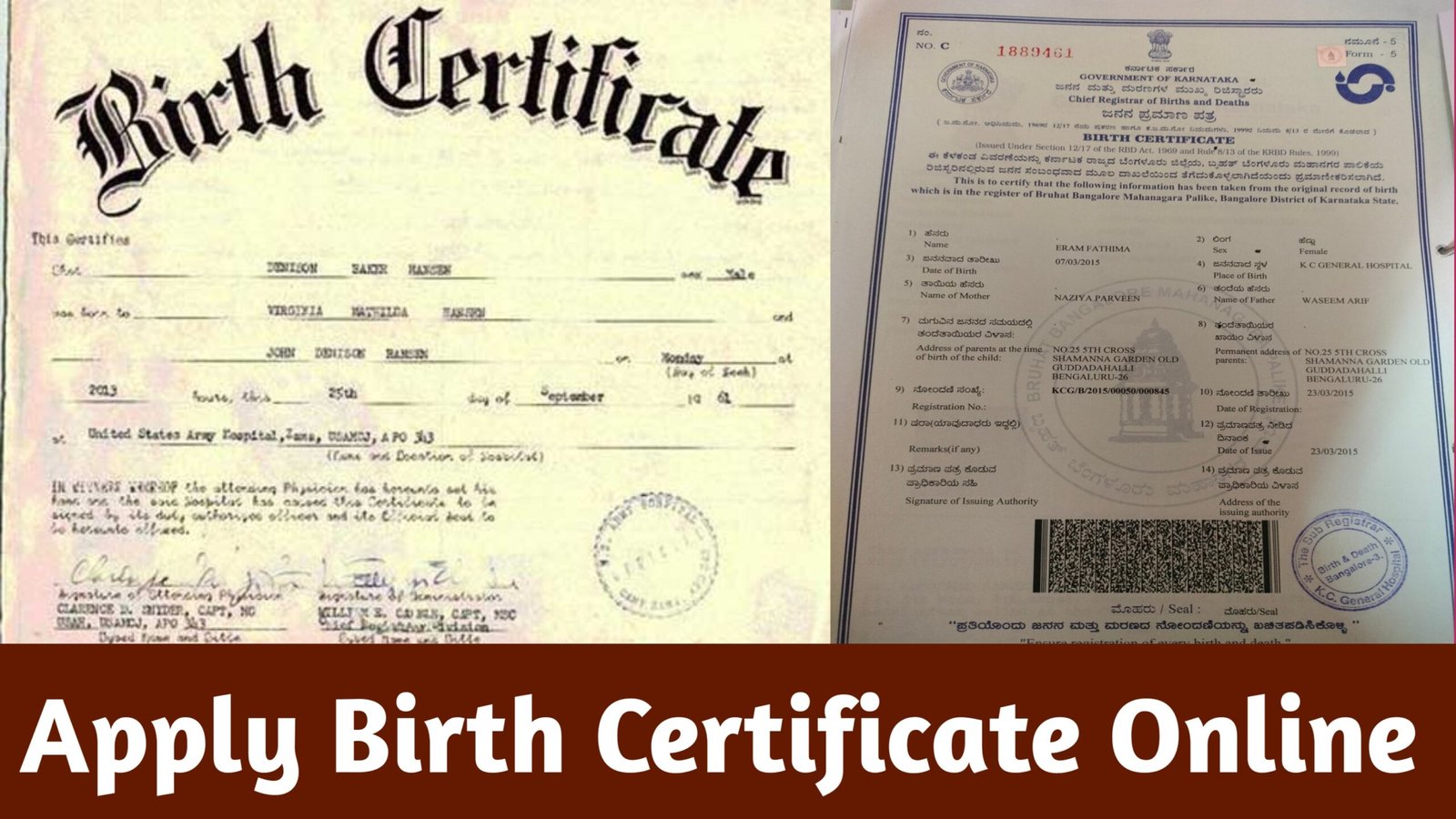
A birth certificate is one of the most vital legal documents in an individual’s life. It serves as proof of identity, age, nationality, and citizenship. It is required for school admissions, government schemes, passport applications, voter ID, and even Aadhaar card registration. Traditionally, getting a birth certificate involved lengthy paperwork and multiple visits to municipal or panchayat offices. However, with the KA Birth Certificate App, the entire process has become fast, transparent, and completely online.
This comprehensive guide will help you understand how to use the KA Birth Certificate App step-by-step — from registration to certificate download, verification, and correction.
What is the KA Birth Certificate App?
The KA Birth Certificate App is an official mobile application developed under the e-Governance Department of Karnataka. It is directly linked to the Civil Registration System (CRS) maintained by the Government of India and the Registrar of Births and Deaths in Karnataka.
The main purpose of the app is to make birth registration and certificate services digital, simple, and easily available to citizens through smartphones. The app supports all Urban Local Bodies (ULBs) and Gram Panchayats in Karnataka.
Key Features of the KA Birth Certificate App
Here are the main features that make this app a must-have for every citizen in Karnataka:
- Online Birth Registration:
Register a newborn’s birth directly from your mobile phone without visiting the registrar’s office. - Certificate Download:
Instantly download the digital copy of your child’s birth certificate in PDF format. - Status Tracking:
Check the current status of your birth certificate application anytime. - Verification of Certificates:
Verify whether your birth certificate is genuine using the unique registration number or QR code. - Correction and Updates:
Apply for name corrections, spelling errors, or other updates online. - Multiple Language Support:
The app is available in English and Kannada, making it user-friendly for all citizens. - Integration with UIDAI (Aadhaar):
The app allows you to link your Aadhaar details for faster verification and authentication. - User-Friendly Interface:
Simple menus and step-by-step guidance make it easy even for first-time smartphone users. - Download Facility for Old Records:
You can access and download old birth certificates registered in Karnataka after 1990 (depending on digital availability).
Importance of a Birth Certificate
A birth certificate is not just a record of birth — it is a key document for multiple legal, social, and economic purposes. Here’s why it is essential:
- Proof of Birth and Identity:
It officially confirms the date, place, and time of birth along with the name of parents. - For School Admissions:
Schools require a birth certificate for verifying the child’s age at the time of admission. - Passport and Visa Applications:
A valid birth certificate is mandatory while applying for passports and visas. - Government Schemes and Benefits:
Many welfare schemes for children and women require age proof through birth certificates. - Inheritance and Property Rights:
It helps establish legal identity in matters of property or inheritance. - Marriage Registration and Voter ID:
Age proof is necessary to apply for marriage certificates and voter ID cards later in life.
Thus, obtaining a birth certificate as soon as possible after a child’s birth is not just a legal requirement but also a crucial step toward securing their future rights.
How to Download and Install the KA Birth Certificate App
Follow these simple steps to install the app on your mobile phone:
- Go to Google Play Store (for Android users):
- Open the Play Store app on your smartphone.
- Search for “KA Birth Certificate App” or “Karnataka Birth Certificate.”
- Select the Official App:
- The official app is published by the Government of Karnataka – e-Governance Department.
- Check for the Karnataka emblem or government logo before downloading.
- Install the App:
- Tap on “Install” and wait for the download to complete.
- Open the App and Register:
- Once installed, open the app and allow necessary permissions (like storage and location).
- You can register using your mobile number and verify it with an OTP (One Time Password).
- Set a Password:
- After OTP verification, create a secure password and log in to your dashboard.
The app is lightweight and works on most Android phones. For iPhone users, the app may also be available on the Apple App Store (if released).
How to Apply for a Birth Certificate Using the KA Birth Certificate App
Once you have installed and registered in the app, follow these steps to apply for a new birth certificate:
Step 1: Open the App and Log In
Launch the KA Birth Certificate App and log in with your registered mobile number and password.
Step 2: Select ‘Birth Registration’
From the main menu, choose the “Birth Registration” option.
Step 3: Enter Child’s Details
You will be asked to provide:
- Child’s Name (if decided)
- Date of Birth
- Gender
- Place of Birth (Hospital/Home)
- Address of Parents
- Father’s and Mother’s Name
- Contact Number
- Aadhaar details (optional but recommended)
Step 4: Upload Supporting Documents
Attach clear scanned copies of:
- Hospital Birth Report / Certificate from doctor
- Parent’s Aadhaar Cards
- Proof of address (Ration card, Voter ID, etc.)
Step 5: Submit Application
Review all details carefully and click on “Submit.” You will receive an Application Reference Number (ARN) for tracking.
Step 6: Track Status
Use the ARN to check your application status under the “Track Application” section of the app.
Step 7: Download Certificate
Once approved, your birth certificate will be available in the “Download Certificate” tab.
You can download and print it in PDF format.
How to Download an Existing Birth Certificate
If your birth certificate is already registered, you can directly download it using the app:
- Open the KA Birth Certificate App.
- Tap on ‘Download Certificate’.
- Select your District, Taluk, and Municipality/Panchayat.
- Enter Date of Birth, Name, and Registration Number (if known).
- Tap on “Search.”
- The app will display the certificate record if found.
- Click “Download PDF” to save or print it.
This feature is especially helpful for people who lost their physical copy and want a digital version instantly.
How to Verify a Birth Certificate
Verification ensures that the document is genuine and officially issued. Here’s how you can verify a certificate:
- Open the KA Birth Certificate App.
- Select ‘Verify Certificate’ from the menu.
- Enter the Certificate Registration Number or Scan the QR Code on the certificate.
- The system will display the official record details if the certificate is valid.
This digital verification process prevents misuse and ensures authenticity.
Correction or Modification of Birth Certificate Details
Sometimes, mistakes occur during birth registration, such as spelling errors in names or incorrect dates. You can request corrections using the same app.
Steps to Apply for Correction:
- Log in to your account.
- Select ‘Correction Request’.
- Choose the record you want to modify.
- Enter the corrected information.
- Upload supporting documents (like Aadhaar or school records).
- Submit for approval.
After verification by the Registrar, the corrected certificate will be available for download.
Common Problems and Their Solutions
| Problem | Possible Reason | Solution |
|---|---|---|
| Certificate not found | Old record not digitized | Visit local municipal office with hospital record |
| OTP not received | Network issue | Retry after a few minutes or check SIM validity |
| Download option disabled | Pending approval | Wait for registrar verification |
| App not opening | Outdated version | Update from Play Store |
| Wrong spelling in certificate | Typing error | Apply for correction through app |
Safety, Privacy, and Security
The KA Birth Certificate App follows strict data protection and encryption protocols. Your personal information, documents, and Aadhaar details are safely stored within government servers.
Some key safety measures include:
- OTP-based login authentication.
- Government-backed SSL encryption.
- No third-party data sharing.
- Secure PDF download with QR code validation.
Always use the official app and avoid entering details on unofficial websites to prevent data misuse.
Alternative Methods (If App Is Unavailable)
If you face issues using the app, you can still access services through:
- Official Website:
Visit https://crs.karnataka.gov.in
Here you can apply, download, and verify birth certificates online. - Municipal / Panchayat Office:
You can submit a manual application along with hospital and parental documents. - BangaloreOne or KarnatakaOne Centers:
These government service centers help citizens apply or print their certificates easily.
Charges and Fees
The KA Birth Certificate App offers most services free of cost. However, nominal charges may apply for reprints or corrections depending on the local authority.
- New registration: Free
- Download (PDF): Free
- Correction request: ₹20–₹50 (if applicable)
- Duplicate certificate (printed copy): ₹25–₹100
Online payments can be made via UPI, debit card, or net banking if the app prompts for it.
Benefits of Using the KA Birth Certificate App
No need to visit any office physically.
Saves time and money.
Available 24×7, anywhere in Karnataka.
Transparent tracking of applications.
Instant digital access to government records.
Eco-friendly, paperless service.
It empowers citizens by bringing governance to their fingertips.
Tips for Smooth Usage
- Always ensure your internet connection is active while using the app.
- Use the latest app version for better performance.
- Keep all supporting documents scanned and ready before applying.
- Avoid multiple submissions for the same record.
- Save your Application Reference Number (ARN) carefully for future reference.
Frequently Asked Questions (FAQs)
Q1. Is the KA Birth Certificate App free to use?
Yes. The app and its core services like registration, download, and verification are completely free.
Q2. Can I apply for an old birth certificate through the app?
Yes, if your record exists in the digital database (post-1990), you can access it.
Q3. What if I forgot my registration number?
You can search by name, date of birth, and district.
Q4. Can I download certificates for others?
You can download for your family members if you have their details.
Q5. Is the digital birth certificate valid everywhere?
Yes. It carries a government digital seal and QR code, making it legally valid across India.
Apply Online
The KA Birth Certificate App is a revolutionary step by the Government of Karnataka toward digital empowerment and citizen convenience. It has simplified one of the most essential government services — birth registration and certification — by making it accessible anytime, anywhere.
By using this app, you save hours of travel, paperwork, and waiting time. The process is transparent, secure, and eco-friendly. Every Karnataka citizen — especially new parents — should download and use this app to ensure their child’s birth certificate is registered quickly and correctly.
With the KA Birth Certificate App, Karnataka continues its journey toward Digital Governance and Smart Citizen Services, ensuring that every child’s birth is recorded and recognized in the most efficient way possible.
KA Birth Certificate App, Karnataka Birth Certificate Download, Apply Birth Certificate Online, Verify Birth Certificate Karnataka, Digital Birth Certificate India, e-Governance Karnataka.